M.P. Hassel
January 22, 2025
The computers in the Learning Lab on Main Campus of Community College of Philadelphia (CCP) are essential tools for students. Many of these machines are plagued by technical issues, forcing students to find another place to work outside the college’s main study hub.
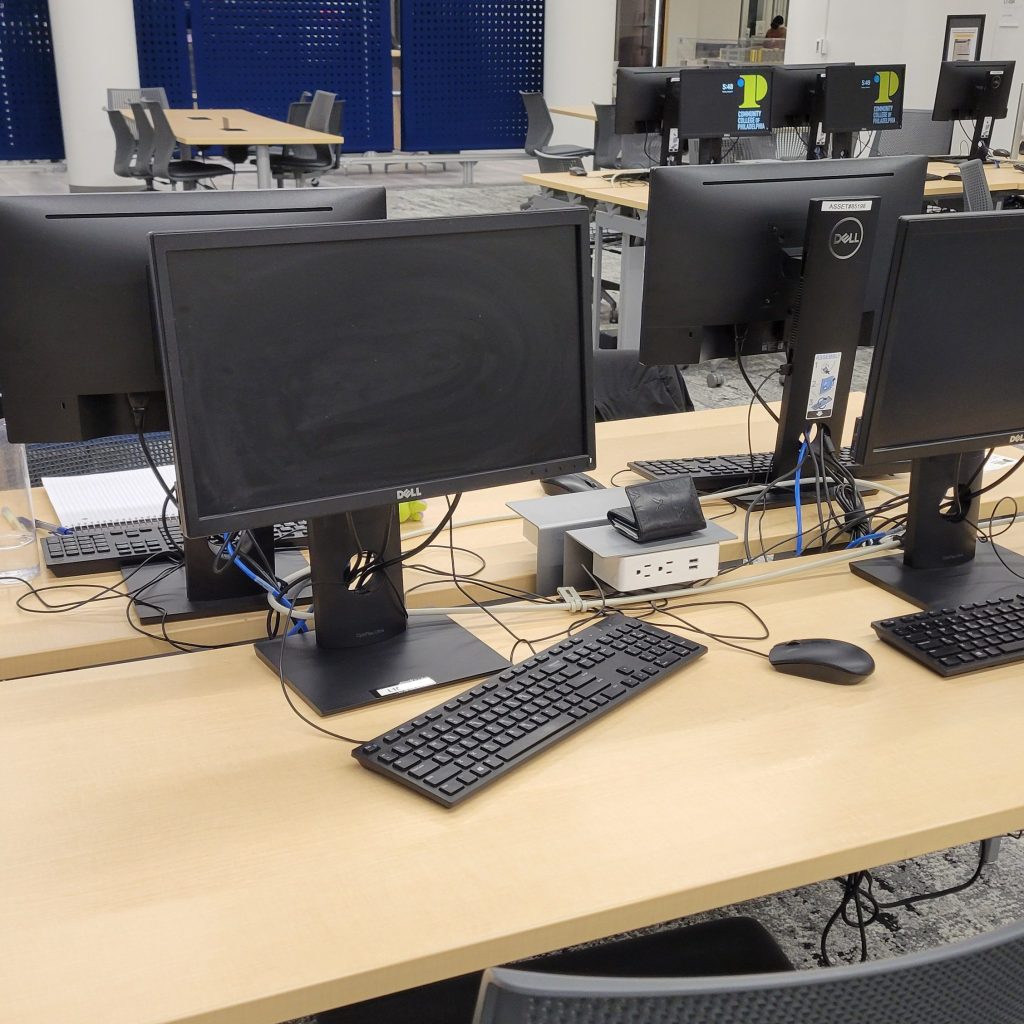
A significant number of Learning Lab computers frequently black out after a period of inactivity. The issue is most prevalent among the Dell 7070 Ultra computers, which are mounted on the backs of monitors. Students entering the lab from the 17th Street entrance near Saxby’s often encounter these computers with blank, black screens.
This has frustrated students reliant on these computers, causing lost time and increased stress from the frequent blackouts. In contrast, the Dell OptiPlex 7050 towers, located toward the back of the Learning Lab near 16th Street, exhibit such issues far less often.
Some IT staff theorize that excessive data saved by multiple users causes the smaller and thinner 7070 Ultra computers to overheat. While plausible, this explanation falters because the computers’ memory is wiped during winter break, yet the blackouts persist in Spring semester. After all, the lifespan of a college computer is generally three to five years according to the Head of the Learning Lab Department. The Learning lab computers are all but pronounced dead.
Employees of the Learning lab frequently patrol the lab to reboot blacked-out computers. At any given time, about half of the lab’s computers are non-functional. Once an employee makes it through all the problem computers, they will have to restart all over again.
The power adapters used by the Dell 7070 Ultra computers are the likely culprit, as a Learning Lab employee familiar with the technical issue noted. The computers are connected to a power source via cheap universal replacement chargers (SM65CL-01) that cost a third of the price of more reliable Dell chargers (LA65NS2-01) connected to some of the campus computers. When the college administration chooses to be frugal, students pay for the cheap replacement. “You can buy these at 7/11,” says our employee source.
Reviews of the SM65CL-01 highlight durability issues. As one Amazon reviewer, Deja, noted, “It’s an amazing charger while it lasts, but not worth the constant need to repurchase it.” These chargers, suitable for light personal use, struggle to meet the demands of a busy computer lab. The ineffective chargers fail to consistently supply enough power, causing the computers to enter a deep sleep mode.
For many CCP students who commute and may lack personal computers, the Learning Lab’s reliability is crucial. The blackouts hinder their ability to access online resources and complete homework, creating avoidable barriers to academic success.
CCP must invest its excessive budget surpluses into reliable equipment to ensure students have the tools necessary to succeed. Solutions include replacing the SM65CL-01 chargers with higher-quality models and reassessing the replacement of Dell 7070 Ultra computers.
The college’s Board of Trustees has the authority to approve such changes. Their next meeting is scheduled for February 6, 2025, and all meetings allow time for public comments. Students and faculty should seize this opportunity to voice concerns and advocate for improvements. The tools meant to empower students must not continue to fail them.

 The Independent
Leave a comment